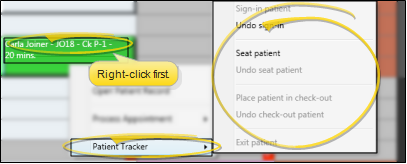
Sign patient in / update Patient Tracker from Scheduler - Right-click an appointment in your schedule and select Patient Tracker. You can then sign a patient into your office, as well as update the patient's current appointment progress. See "View & Update Patient Tracker" for details. The current Patient Tracker status is displayed at the bottom of the patient's appointment for your reference. (See "Notifications" details, above.)
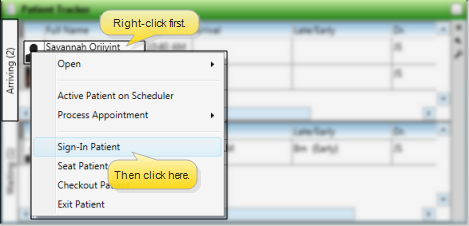
Sign in from Patient Tracker - If you have enabled the Arriving section in your Patient Tracker, you can use drag and drop, or right-click a patient and select sign-in to check the patient into your office. See "View & Update Patient Tracker" for details.