Patient Compliance Animations
You can download and play Compliance Animation videos to help patients and parents gain a better understanding of the importance of properly caring for themselves and their orthodontic appliances. Compliance Animation videos do not require Edge Animations, and cannot be edited. They are available as-is for any practice that uses Edge Cloud.
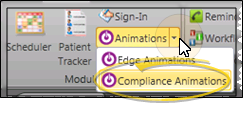
Select the drop down arrow beside the  Animations icon from the Home, Patient, or Imaging ribbon bar, and choose the Compliance Animations option. (You can also open this feature from the Quick Access toolbar at the top of your Edge Cloud system window.)
Patient Compliance Vs. Edge Animations - When you click the Edge Animations icon, your comprehensive Edge Animations module opens; You can optionally click the arrow beside the icon, then select to open either about-edge-animations.htm or the standard Compliance Animations video list.
An active Internet connection is required for this feature to work.
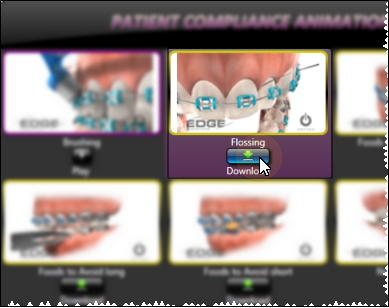
Choose a video from the Compliance Animations window, and click Download. Once downloaded to your system, the video border turns from yellow to purple.
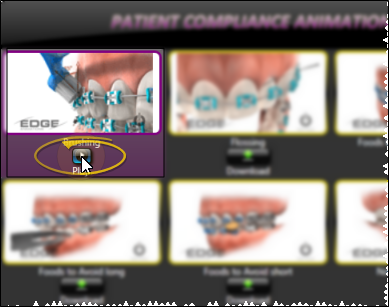
Choose a video with a purple border from the Compliance Animations window, and click Play . (If the border is yellow, you first need to download the video to your computer.)
 Open the Compliance Animations Module