Sign-In Sounds
Your Patient Sign-In system can greet patients with sound whenever they sign into your office. In addition
to adding interest for your patients, the sound effects can alert your staff to events
surrounding your patients' situations
-
 Open Sign-In Settings - Home ribbon bar > Modules section >
  Sign-In > Password > Log In > Main > Settings.
-
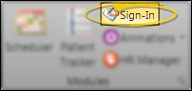
Open Sign-In from the Modules section of the Home ribbon bar.
-
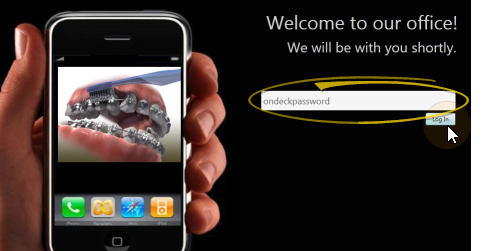
Log into Patient Sign-In editing mode with your sign-in password. (If you have not set up a password yet, just press Enter at the login prompt.
-
Click Main on the editing ribbon bar and select the Settings option.

No Prompt Access - If you do not have a sign-in prompt, you can press Ctrl+E on your keyboard and enter your sign-in password to enter editing mode.
-
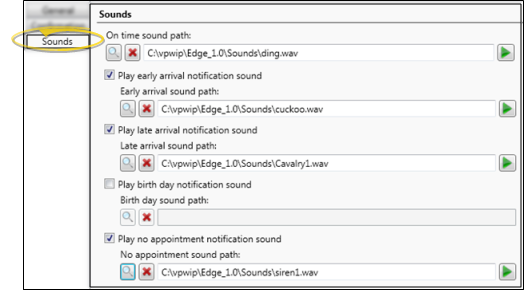
Open Sounds Tab - Click the Sounds tab at the top of the Sign-In Settings editor.
-
Set Up Sounds - You may set up sounds to play when certain patient sign-in events occur, including a nearby birthday, and early and late arrivals.
Choose an Event - You may choose to set up sounds for all Sign-In events, or only certain events. Each event may have a different sound, or you can assign the same sound to multiple events.
Birthday - This sound plays at the patient sign-in station when the patient's birthday is within one week of today's date.
Early Arrival - This sound plays at the patient sign-in station when the patient signs into your office too early, as defined by your sign-in notification settings. (See "General Sign-In Settings" for details.)
Late Arrival - This sound plays at the patient sign-in station when the patient is late for their appointment, as defined by your sign-in notification settings. (See "General Sign-In Settings" for details.)
No Appointment - This sound plays at the patient sign-in station when the patient has no appointment scheduled for today.
On Time - This sound plays at the patient sign-in station when a patient signs into your office on or before the scheduled appointment time, but not too early (as described below).
Choose a Sound - After selecting the event to work with, you may browse to select a sound file, enable /disable the sound, and listen to a sample.
Select a Sound - You can type the full path and file name of the sound file in the path field, or click  Browse and select any .WAV sound file available to the workstation.
Listen - Once you have entered a sound file into a path field, you can click  Listen to hear a preview of the selected sound.
Enable / Disable Sound (Not available for on time sound.) Check the Play option to enable a sound. If this option is disabled, the sound will not be played when a patient signs into your office.
Delete a Sound - To remove a sound path, click the  beside the path field.
-
Save Your Changes - Click Save to save the changes you have made and close the editing window.
Patient Tracker Sounds - You may set up sounds to play whenever a patient moves into a specific Patient Tracker section. See "Patient Tracker User Options" for details.