Your Patient Sign-In system can greet patients with sound whenever they sign into your office. In addition to adding interest for your patients, the sound effects can alert your staff to events surrounding your patients' situations
Home ribbon bar >
Open Sign-In > Password > Log In > Main > Settings.
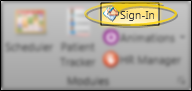
Open Sign-In from the Tasks section of the Home ribbon bar.
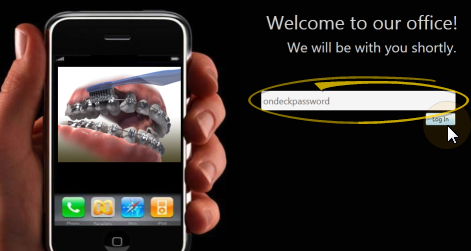
Log into Patient Sign-In editing mode with your sign-in password. (If you have not set up a password yet, just press Enter at the login prompt.
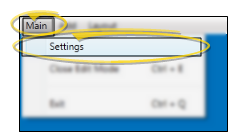
Click Main on the editing ribbon bar and select the Settings option.
Or, if you do not have a sign-in prompt, you can press Ctrl+E on your keyboard and enter your sign-in password to enter editing mode.
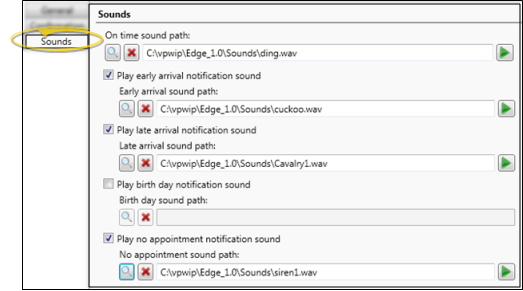
Open Sounds tab - Click the Sounds tab at the top of the Sign-In Settings editor.
Sound Events - You may set up sounds for several sign-in events.
On Time plays when a patient signs into your office on or before the scheduled appointment time, but not too early (as described below).
Early Arrival plays when the patient signs into your office too early, as defined by your sign-in notification settings.
Birthday plays when the patient's birth date is within one week of today's date.
Late Arrival plays when the patient is late for their appointment, as defined by your sign-in notification settings.
No Appointment plays when the patient has no appointment scheduled for today.
Sound settings - You set up each sound event by selecting a sound file, enabling /disabling it, and optionally listening to a sample.
Choose a sound - Click 
Listen- Once you have entered a sound file into a path field, you can click 
Enable / disable sound (Not available for on time sound.) Check the 
Delete a sound - To remove a sound path, click the
beside the path field.
Save -Click to Save your changes at the bottom of the editing window.
Workstation-Specific - These properties are specific to your workstation. Other stations in your system may have other settings.
Ortho2.com │1107 Buckeye Avenue │ Ames, Iowa 50010 │ Sales: (800) 678-4644 │ Support: (800) 346-4504 │ Contact Us
Remote Support │Email Support │New Customer Care │ Online Help Ver. 8/3/2015